
eclipse oxygen (4.7.1.a) for the mac for the third time

I had downloaded Eclipse Oxygen when it came out in June. Then I downloaded the September version for early Java 9 support along with the JUnit 5 add on for the JavaOne Hands On Lab I delivered. This required downloading the Eclipse plugin. I’m giving a similar/longer JUnit 5 lab at DevNexus this month. It makes sense to start with a clean version for students to install. Therefore I decided to install Eclipse Oxygen for the third time.

This time I downloaded the December release of Oxygen (4.7.1a). It includes JUnit 5 and Java 9 support.

Installing

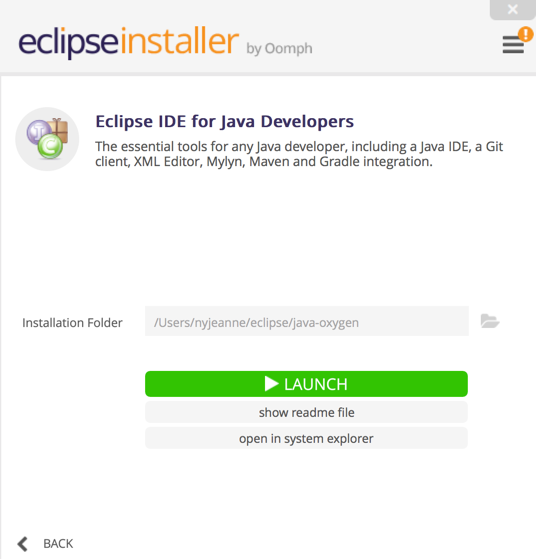
I downloaded Eclipse and chose “Eclipse IDE for Java Developers” from the wizard.
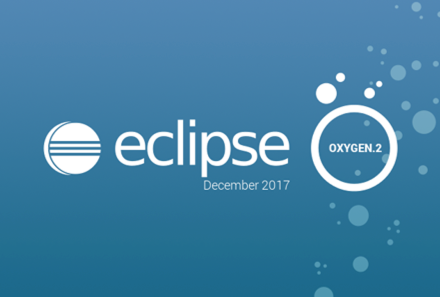
Opening Eclipse, I confirmed that I was using the December 2017 package.
Installing the plugins

The significant plugins I chose to re-install are listed in this table. eGit, Buildship (for Gradle), m2e (Maven) and I think EclEmma were already installed without me doing anything.

Plugin Purpose
Eclipse Tomcat Plugin One click launch for recent versions of Tomcat. Both are listed as being successors to Sysdeo. While both seem fine, I went with the “Eclipse Tomcat Plugin” that I had before updating Oxygen.
SonarLint  I use SonarLint daily to look for errors in my code.
Subclipse I got errors installing Subversive last time and switched to Subclipse.
Eclipse Memory Analyzer For finding memory leaks. Unlike last year with Neon, it installed cleanly from Eclipse Marketplace.
Freemarker IDE Freemarker syntax highlighting and macro assistance.


Pydev Python plugin/perspective
Contrast To spot potential security issues. See my impressions of the Contrast plugin.
Bytecode Outline I’ve been looking at bytecode a good fit for the book to make sure I understand why things are happening. This plugin makes it easy. I first tried Bytecode Visualizer but install failed. (The website says there were 25 failed installs with the same dependency problem in the last 7 days). After installing Bytecode Outline, I realized this was the one I had installed for Luna anyway.
Pitclipse For mutation testing coverage


Fix for M3D Micro+ failed to open stl modes after upgrading to High Sierra

I upgraded my Mac to High Sierra and then learned more about .NET and the Mac that I wanted to.

I got an error that there were two copies of a file:

FIFinderSyncExtensionHost is implement in both /System/Library/PrivateFrameworks/FinderKit.Framework/Versions/A/FinderKit and /System/Library/PrivateFramworks/FileProvider.framework/OverrideBundles/FinderSyncCollaborationFileProviderOveride.bundle/Contents/MacOS/FinderSyncCollaborationFileProviderOveride. Of of the two will be used. Which one is undefined.

There was an error in loading the file. Check to see the file is valid.

First thing that didn’t work

I tried to re-install Mono choosing the latest release 5.4.1. (Mono is the runtime for .NET on Mac and the M3D software uses .NET). This actually made things worse cause M3D to crash on opening. Then I rebooted and got an error that I wasn’t on the latest Mono. But I was.

Second thing that didn’t work

I tried re-installing the M3D software. I got:

The Mono Framework installed is not support. You must install the latest version to continue. Would you like to visit the Mono website to downloaded it?

The Mono Framework is a required component for this software and must be installed first.

Turns out I installed the Micro software instead of the Micro+ software. Reinstalled correct software.

Third thing that didn’t work

Then I tried downloading Visual Studio for Mac. Didn’t help.

Fourth thing that didn’t work

At this point, I decided to be more methodical. I tried running M3D at the command line to see if I could get more data:

cd /Applications/M3D.app/Contents/MacOS

./m3d

The highlight is:

2018-01-15 17:24:37.585 M3D[1127:35860] run command:/Library/Frameworks/Mono.framework/Versions/Current/Commands/mono /Applications/M3D.app/Contents/Resources/M3DGUI.exe

WARNING: The Carbon driver has not been ported to 64bits, and very few parts of Windows.Forms will work properly, or at all

There was also

Agreeing to the Xcode/iOS license requires admin privileges, please run “sudo xcodebuild -license” and then retry this command.

I ran the command to agree to the license, but that didn’t solve my problem.

Fifth thing that didn’t work

I learned that Mono 5.4.1 defaults to 64 bit. But M3D and Carbon require 32 bit. There’s a flag “–arch=32/64” but doesn’t help with M3D so I uninstalled Mono again:

sudo rm -rf /Library/Frameworks/Mono.framework

sudo pkgutil --forget com.xamarin.mono-MDK.pkg

sudo rm -rf /etc/paths.d/mono-commands

Then I installed an older version (5.0.1) of mono. WHich got me back to the original message.

Sixth thing that didn’t work

Loading a file I’ve used before

What did work

I contacted M3D support and they gave me a workaround in just a few business hours. They suggested clicking on a recent model rather than loading through the OS. That worked fine. Then they suggested dragging the file directly from the Finder into the open UI.

That worked! I can print again. Thanks M3D.


what to do with toastmasters members in the middle of their CC when pathways launches

The Toastmasters official party line is that members should complete the CC that they are in the middle of. However, my club has a lot of members that go at a “leisurely” pace. It’s not realistic to tell someone:

  1. No – “You’ve only given a few speeches so you should just start Pathways and lose them”
  2. No – “You should invest even more time in the old program to complete your CC”

I’ve created a mapping of CC speeches to Pathways speeches. It actually maps decently. (Note: I don’t have access to Pathways Level 3 yet, so that mapping is speculation)

Here I list what I’d recommend you do with members who are early in their CC and slowly going in order. The full mapping table is at the end of this Pathways presentation. This is useful for people who complete their CC speeches out of order. Or to see specifically which projects to map.

</table.

# speeches completed Advice
0 Check if they have a CL to file in the next month or so. If not, start Pathways now!
1 Have the member enroll in Pathways now and mark the Icebreaker as complete. An evaluator may need to enter the evaluation on the new form, but the speech doesn’t change.
2-3 Have the member enroll in Pathways now. Mark the Icebreaker as complete. Read the Evaluation and Feedback project. One or two of the speeches required are already done so the member has a big head start on this project. An evaluator may need to enter the evaluation on the new form, but the speech doesn’t change.
4 See advice for 2-3 speeches completed. Keep the speech 4 evaluation in case it helps for level 3. But even if it doesn’t , “losing” credit for one speech is worth enrolling in Pathways straight away.
5 See advice for 4 speeches completed. Be sure to save the speech 5 evaluation for level 2 as it maps perfectly!
6-8 While some of these projects do map to Pathways, the member is over half done with the CC. So it makes sense to talk to the member about timing, benefits of getting a CC, intent to continue in Toastmasters, etc.
9-10 Almost done with the CC! Complete it before enrolling in Pathways!