
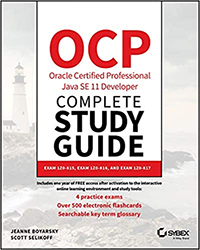
Announcing new Java 11 OCP Books!

Update (11/05/2020): Read The 1Z0-819 Exam page to learn how you can easily our Java 11 Study Guides to prepare for Oracle’s 1Z0-819 Exam, as well as the 1Z0-817 Upgrade Exam.

Jeanne and I are thrilled to announce that we are releasing Java 11 OCP books early next year. Yes, you heard that right, books plural, as in more than one! In fact, we’ll be releasing two new books, along with a complete set edition.

We’ll post links where you can preorder the books as soon as they are available!

These books have been carefully written and include the most important information you need to know for the Java 11 OCP exams. While we are quite proud of our Java 8 books, there’s a lot of new material required for the exams including modules, var, and custom annotations just to name a few.

If you’re thinking of taking the new exams prior to the books’ release, we recommend reading our posts detailing our experiences taking the exams:

In short, if you’re comparing the first exam (1Z0-815) to the older OCA 8 (1Z0-808) exam, don’t. They are quite different and the difficulty level has definitely been increased. We expect both books to be available in early 2020. In fact, we’re nearly done writing the first book already!
Did you know Set.of does that?

I was working on some code and need to turn an array into a set. I knew that Set.of() has a varargs overload so I tried to use it. And promptly learned that it doesn’t work for my needs.

How many ways can you think of that set1 and set2 differ here?

String[] words = { "all", "the", "words", "in", "the", "world" };

Set<String> set1 = new HashSet<>(Arrays.asList(words));

Set<String> set2 = Set.of(words);

Immutability

set2 is immutable while set1 is not. I knew that going in. I don’t need to modify the set I’m creating so that’s fine.

Uniqueness

set2 doesn’t get created if there are duplicates in words. set1 does. This is a big difference and caught me by surprise. And what better way to deal with a surprise than make it a blog post? Surprise! (And yes, this in the JavaDoc. So if I had read the exception details in the JavaDoc, I wouldn’t have been surprised.)

Listening to Free Music on a ChromeBook

My mother decide she’d like to listed to music on here Chromebook. Conveniently the new Chromebook has good speakers. The gotcha is that she has limited bandwidth at home.

Luckily, this is still possible via a “simple three step procedure”

Step 0 – pre-req

  • Go to Amazon Play on the Chromebook and download the Amazon music app
  • Right click the Amazon music app and pin it. That way it always shows up on the bottom
  • Login to the Amazon music app using the account with a Prime membership. Note this must be the actual account with a Prime membership. Not one you merely shared free shipping with. (Amazon allows up to 10 devices with access to the music on a single Prime account so they must be ok with families sharing)

Step 1 – pick Amazon Prime songs

  • Go to Amazon Digital Music
  • Search for what you are interested in
  • Filter by Amazon Prime on the left
  • This will give you a list of albums with at least one free prime song
  • Each one tells you how many songs are included with prime
  • Click on the albums you are interested in
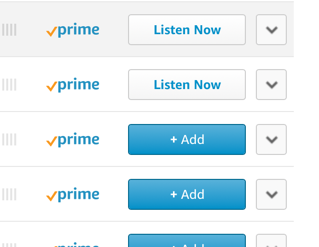
  • Click “Add” and the icon turns into “Listen now”. This makes it accessible via the app

Step 2 – download to Chromebook while on free wifi

While my mother is bandwidth limited at home, she has free wifi in the lobby and at the library. So for this step:

  • Open Amazon Music on the chromebook
  • Go to My Music. I had tow wait about two minutes for the new songs to show up
  • For each song, click the three dot icon at right and choose Download

Step 3 – listen to music on Chromebook

  • Without being online, open Amazon Music
  • Choose “Offline Music”
  • Click “Shuffle all”
  • Click “play” on first song. Then they all play