[javaone 2025] table of contents

Welcome to my live blog (probably) here from JavaOne. The probably is because I hurt my wrist a week ago. This is the most typing I’ve done on a laptop since so will see how it works out! [typing is going fine on a laptop. Not ready to type fast on the iPad keyboard though. Luckily there is power so I’m able to recharge the laptop]

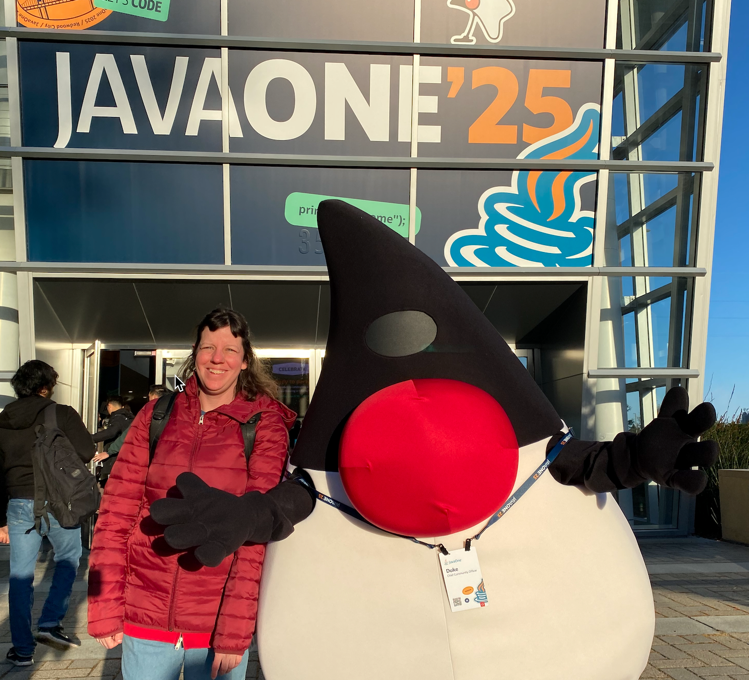
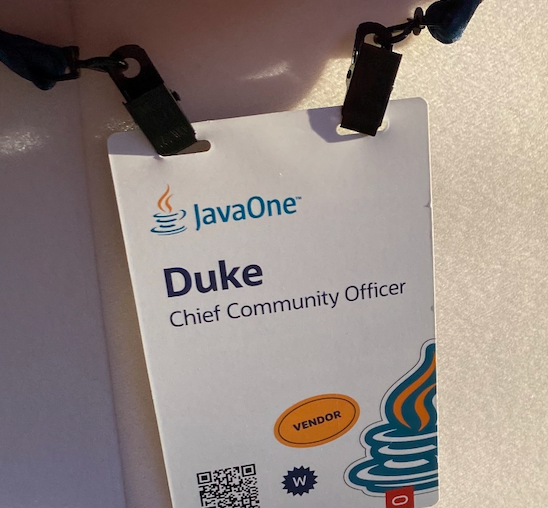
The day started with Duke welcoming attendees. Hi Duke! (Check out his badge/job title). I made a joke about hoping they didn’t charge Duke for the badge. The Oracle employee said Duke is the host!

Check in was fast and there was a coat check. Appreciated not having to carry around a coat all day!

Tuesday

Wednesday

[2024 dev2next] reading code

Speaker Marit van Dijk

For more see the table of contents


Notes

  • We spend more time reading code than writing code
  • Read code when adding features, fixing bugs, understand new codebase, when doing code review, when learning new technologies, etc
  • Up to 58% of time comprehending existing source code – Felienne Hermans, Programmer’s Brain
  • We spend time learning by writing code. We rarely deliberately practicing reading code
  • 1992 research – three groups. One learned by writing and reading code. One write and read but also explanations about code such as why made decisions. Last group only read code with those explanations. Second and third groups did better.

Code reading club

  • http://codereading.club
  • Marit participated in a monthly club – https://maritvandijk.com/code-reading-club/
  • Printed code sample that is 1-2 pages, structured exercises (ex: annotate code with markers)
  • Practice reading a variety of exercises
  • Focus on reading to understand rather than to judge

Example exercises

  • First glance – 1 minute.. Note the first and second thing that catches your eye. Think about why noticed first. Examples was in Groovy
  • Identify components and relationships – ex: methods
  • Identify the five most important lines. If don’t discuss up front what “most important” means, answers vary. The group then converged on what was most important
  • Identify concepts. Someone in the group is likely to know
  • Summarize what think code does

Lack of info

  • Could be short or long term, details, names, too many things
  • Chunking – 3-5 things

Lack of knowledge

  • language, constructs, business domain
  • Create a list of what don’t know, research and memorize if relevant

Lack of processing power

  • Too much to keep track of
  • Dependency graph – on paper, draw arrows to show where variable used
  • State table – keep track of variable values

Dimensions of code reading

  • Structure – we don’t read linearly. More experienced programmers scan code a lot before focusing on a piece
    • Domain – data
  • Concepts – programming and domain
  • Context – why app written, who uses it

Getting started

  • Checkout the code. Proves found project and have access
  • Look at package structure. How many? Names? If see name unfamiliar with, add to list so look up what means later
  • Build project to ensure can
  • Read readme.md. Tip: Check readme to ensure clear how to build and test application
  • See if can run locally and explore in UI if possible
  • Find starting point – main method, export
  • Docs 0 exL swagger

IntelliJ Features

  • AI assistant – Prompt to ask what’s wrong and how to fix
  • Generate diagram to show relationships between classes. Tip: draw own to focus on part interested in and remember it better
  • Generate matrix showing relationship between modules. SHows number of dependencies as well.
  • Can trace code outside in and see where leads
  • Endpoints view – to go a part of the code.
  • Be able to search/navigate without thinking

Outside IDE

  • Identify use case
  • Draw own diagrams

Understanding code

  • structured exercises can help
  • start with the thing you noticed in the 1 minute example to get past being stuck
  • IDE can help you
  • syntax highlighting
  • pull up documentation in pop up
  • pull up code in pop up
  • collapse sections of code
  • find references
  • view tests – hopefully their names express the indended behavior
  • debugger
  • AI assistant can give summary of a commit or set of commits

My take

The code was way too small on the 1 minute example. It was fine on everything else.. Marit invited us to move. Two people (I was one) sat on the floor in the font. I liked the demo. My brain was full before the session started though.

[2024 dev2next] project amber

Speaker: Neha Sardana

For more see the table of contents


General

  • Aim: Code is clear like Amber
  • Showed old release cadence ncluding 5 year gap from 2006-2011

Many projects

  • Amber – small incrememenal language enhanceents
  • Loom – lightweight concurrency and virtual threads
  • Valhala – value types and generic collections
  • Panama – native code

Goals of Amber

  • Boost productivity – less boilerplate
  • Improve code readability
  • Support long term evolution
  • Maintain language consistency

Preview features

  • Experimental but final features
  • Have to enable preview features to use

Local variable type inference

  • var – JEP-286
  • var for lambda parameters JEP-323
  • variable names more important because don’t have the type

Data handling

  • Records – 359, 384, 395
    • Data classes
  • Immutable and final
  • IdIeal for data transfer objects
  • Sealed classes – JEP 360, 397, 409
  • Controlled inheritance
  • Improved code safety
  • Enhanced pattern matching
  • Text blocks – 355, 368, 378
  • Multi line string simplification
  • Improved readability
  • Automatic formatting
  • Remember when had to put SQL in a String
  • String templates 430, 459, 465 – withdrawn)
  • Not available in Java 23. Would have simplified string concat, improved safety and enhanced readability
  • Withdrawn due to issues
  • If some back, will have new design/syntax

Control flow

  • Switch expressions 325, 354, 361
  • Simplified syntax
  • Return values
  • Exhaustiveness checking
  • Pattern matching for instance of 305, 375, 394
  • Eliminates casting
  • Improves readability
  • Safer type handling
  • Pattern matching for switch 406, 420, 427, 433, 441
  • Some of the JEPs didn’t change; just wanted more user feedback
  • Primitives types in patterns, instanceof, and switch 445
  • preview in 23
  • can use int to match instead of having to use Integer
  • Record patterns – 405, 432, 440
  • Declare record fields in same line so can use in instance of without having to reference
  • Pattern matching for data decomposition
  • Can use instance of and && in a lamdba; doesn’t have to be in if statement
  • Works with instanceof and switch
  • Unnamed patterns and variable 443, 456
  • Use _ instead of name to show unused
  • Clearer that want to ignore data
  • Enhanced pattern matching flexibility
  • Can use _ in lambda variable, catch block, etc as well

New language features

  • Implicitly declared classes and instance main methods – 445, 463, 477
  • In preview
  • void main() – no class, no public/static/params
  • println() instead of System.out – in void main(), get that static import without having to have the import
  • Reduces boilerplate
  • Module import declarations – 476
  • In preview
  • import module java.base;
  • Simplifies module usage
  • Let’s use classes in module.
  • If conflict, need to explicitly import that class
  • Statements before super -> Flexible constructor bodies 447, 482
  • feature renamed between versions of Java
  • Flexibile initialization
  • Improved code flow
  • Enhanced control

Future

  • Derived record creation 468
  • in preview
  • allow extending records – dervices most values from original
  • Person x – original with { email = “e”; };
  • Simplify record inheritance
  • Reuseable code

My take

I had seen this talk in NY and came to support Neha. It’s still good :). I like that she had a lot of examples. Mentioning Scala a lot was fine, More opportunities to learn..