
cropping video fast for dummies

I wanted to edit a three minute video down to less than 15 seconds.  I’ve never done this before and don’t have any special software.  And I needed to do it in an hour.  What to do?  What to do?
Why the urgency?

I was giving an Ignite style presentation on Stuy Pulse’s journey this season (FIRST Robotics team #694).  Since Ignite slides are 15 seconds in length, I originally decided to go with a static picture.  The night before my presentation, an alum of the team sent out a really good 3 minute video.  I thought it would make my presentation much better to include one 15 second “slide” of video.

Where I started

The original video is 3 minutes and 36 seconds.  I decided it would be nice to show kicking a goal in autonomous (no humans involved), driving over the bump/ramp and hanging.

How I did it

  1. Note that I have Windows Movie Maker on my machine which I can use for basic editing.  The shortcut disappeared, but I can create a new one pointing to C:\Program Files\Movie Maker\moviemk.exe.
  2. Download the video using ClipNabber so I would have a copy of it locally.  This downloaded the clip as an .mp4 file.
  3. Since Windows media player doesn’t support .mp4 files, I needed to convert it to another format.  I downloaded the free QuickMedia converter which was a 45 MB file.  Thanks to the Microsoft forum for the idea.  Converting the file from .mp4 to .wmv took 2 minutes.
  4. In Windows Movie Maker, import the .wmv file.
  5. Play the video using the navigation icons to split the video into pieces.  The relevant buttons were:
    1. Play – to start it
    2. Split – to create a clip boundary (start of end the clip)
    3. Previous/Next frame for precision
  6. Drag the three completed clips to the storyboard
  7. File > Save movie file

How did it work?

This process was good for some rough editing.  I met my goal of having a clip under 15 seconds showing these three things.  For “real” editing, you’d want a better product of course.

The final product

The completed video does show what I wanted.  I didn’t edit out the sound because I knew the speakers would be off during my presentation.  The words that went with that slide were:

red al-liance! ,<clap><clap>, <clap><clap><clap>

blue al-liance! ,<clap><clap>, <clap><clap><clap>

hang! hang! hang!

if 694 wins this, we go to nationals!

<pause>

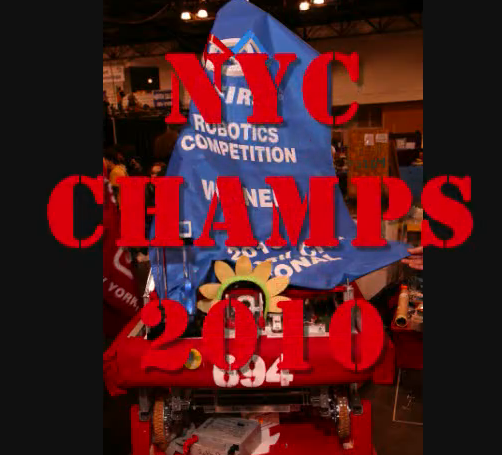
Then the next slide is a screenshot of the congratulations message; the one at the beginning of this post.

—

And yes, I got permission from the video creator to do this and blog about it.

clone a postgresql database for testing cleanly

I’m looking at writing integration tests for the back end of JavaRanch‘s JForum install.

A few “pesky” requirements/constraints

  • Multiple developers all over the word have their own local test databases filled with data in different states.  The tests must work for everyone.  Ideally they won’t leave data floating around either.
  • The tests must use PostgreSQL.  While the original JForum supported multiple databases, the JavaRanch version has been scaled down to just run with the one we need.  We do have some PostgreSQL specific SQL which rules out using an embedded database like HSQLDB or Derby.
  • Developers are using both Eclipse and IntelliJ.  Tests should care about the IDE anyway, so this isn’t a big constraint.
  • Developers are using a variety of operating systems and languages on their operating systems.  While code is in English, there can’t be assumptions as to the OS state.

Strategy

I think the best strategy is to create a second database just for testing.  The JForum database would remain untouched and a jforum_integration_test database can be created for the tests.  dbUnit can control the state of that special database.

The problem

Before I even start thinking about dbUnit, I did a proof of concept to ensure I could create a new database from scratch using the command line.  Creating a database is the easy part.  The “hard” part is that JForum doesn’t come with a schema.  It comes with an installation servlet that creates the schema.  While few people will be creating a schema for JForum, the technique I used applies elsewhere.

The procedure “before”

  1. Start up the JForum war
  2. Go to the JForum install URL and enter some information which creates the tables
  3. Run the JavaRanch customizations.

How to clone a database for which you only have a partial script

  1. Create an empty database
    createdb jforum_integration_test
  2. Arrive at the base schema
    1. Go the JForum installation URL
    2. Enter the information to create the tables
  3. Export the schema thus far
    pg_dump -U postgres jforum_integration_test > c:\temp\postgres.sql
  4. Provide instructions for the rest of the sql which were created by our developers.

How to import

Now for the easy part!

Importing this dump is a matter of a single command:

psql -U postgres jforum < "pathToWorkspace\JForum\javaranch-docs\deployment\file.ddl"

Lessons learned after

The next day I learned that this wasn’t enough.  We also needed some test data from the server.  I ran this a few times to get the relevant test data.

pg_dump --data-only --inserts -U user -W database --file roles  --table tableName

Conclusion

My next step will be to actually configure dbUnit against this new database and start writing tests.

algorithms – survival of the fittest

I’ve been volunteering with a FIRST robotics high school team as a programming mentor. Due to a “series of unfortunate events”, we didn’t get to test our logic to drive straight in autonomous mode until the night the robot went into the crate.

We wound up using an interesting approach. First we brainstormed options and prioritized them. If the programmers got the robot early, we would test in that order. Alas, we did not get the robot early. We got it for 45 minutes about an hour before packing time.

Since it takes time to load code changes to the robot, we parallelized as much as possible. The students had time to test the competing approaches before we got our turn with the robot. So we tried them all by flipping a switch and then tuned the most promising one. It was a great use of time and available resources. And we wound up with an approach that wasn’t in our initial brainstorm.

The lesson applies to us all. Be aware of your primary constraint; in this case time; and optimize to that. Punch card programmers certainly knew this and optimized per run at the machine.

I was very impressed. Good luck in the regional competition team 694!