Recently, I visited London and Cardiff on vacation and took my iPhone with me. I knew ahead of time I would like to get the most use out of it, without incurring ridiculous roaming fees, so I planned ahead. This article discusses a number of different solutions and the benefits and limitations of each.
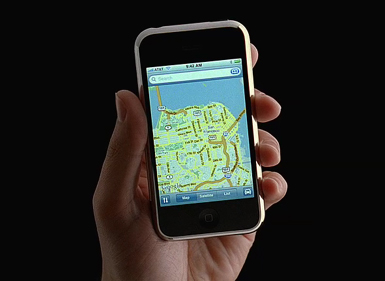
My Goal: Use maps with GPS tracking while traveling abroad
Although the native Google Maps application will not function on the streets of London without an Internet connection, there are applications that you can download ahead of time that will. One application that I liked in particular was OffMaps for the iPhone. It allows you to download maps of any city or region ahead of time, as well as select city guides. The map download is extremely customizable, including selecting the map’s level of precision. The only downside was that these maps/guides have to be downloaded directly by the iPhone (WiFi or 3G) and can take hours to retrieve. I would have preferred an option that let you download the maps from iTunes, utilizing a wired Ethernet connection. Also, you must download maps for all areas you intend to visit ahead of time, as even WiFi connections can be costly and limited abroad.
While I did try other, often city-specific applications, but I wasn’t as impressed with them as OffMaps. Plus, I was able to configure the same application for multiple cities prior to my trip.
After downloading an offline map application, my second goal was to enable GPS. This as it turns out, is trickier than I thought.
Solution 1: Leave the iPhone at home
I considered leaving it at home, but it’s really hard to organize a car service on your return trip if they have no way to reach you. Also, it’s useful to check the time and recent e-mail since my cell phone has replaced my watch as my mechanism for keeping time. Finally, the iPhone is nice for watching TV and movies on the plane as well as listening to music while traveling.
Solution 2: Put the iPhone in Airplane Mode for the entire trip
Most blogs I visited prior to departure recommended putting my iPhone in Airplane Mode for the length of my trip, as it allows you to use WiFi without any possibility of incurring roaming fees. The problem, though, is that it also disables the phone’s GPS, so that you cannot track your current location. Goal failed.
Solution 3: Disable Cellular Data and Roaming
One obvious solution is to go into the General > Network settings and disable cellular data and roaming. There’s a few problems with this though. First, you’re trusting your cell phone not to accidentally charge you for usage. Based on some of the stories floating around the net about being charged thousands of dollars for roaming, that’s just a leap of faith I’m not personally able to make. Second, your battery life is going to be severely limited, because the iPhone will be searching for a signal during the entire trip. Finally, there’s no guarantee some data features won’t continue to process, such as voice mail. With Apple’s Visual Voicemail, the iPhone downloads audio files automatically every time someone leaves you a message. Think of it as a charge anytime someone leaves you a message.
There are steps you can take to disable voice mail while traveling, but I do not recommend them. AT&T has to actually switch your data plan while you’re away, there’s no option to simply disable it. For those with no-longer-available unlimited data plans, switching our data plan can make us a little edgy. Also, there’s no guarantee GPS will work in this environment, although it probably should.
Solution 4: Replace the SIM card
Those absolutely needing international access can buy a SIM from a local carrier. Given that I’m using a US iPhone, and AT&T has severely restricted non-AT&T usage, I wasn’t convinced this would work without jail-breaking the iPhone. Also, there are some security risks from letting your passwords/access transfer over a network you may not be familiar with. Ultimately, I decided this option wouldn’t be worth the headache. If I had a more open, European iPhone, though, I may have felt differently, since in those markets the phone and the SIM are not extremely interconnected.
Solution 5: Lock the SIM card
One excellent recommendation was to install a 4-digit PIN code on the SIM which requires entry every time the iPhone is started and disables all cellular/data communication if not present. The advantage to this is that GPS continues to work in this environment. The only down side is that you have make sure not to forget your PIN code. Also, I had to do a bit of searching to find the ‘default’ pin code that programmed into my SIM card.
Solution 6: Remove the SIM card
Similar to Solution #5, I realized I could just pull out the SIM card. No special tools required, just a paper clip and a plastic bag to put it in (the new Micro SIMs are tiny and easy to lose). Unlike some of the other solutions which rely on software features, this completely prevents data roaming but still allows WiFi usage and GPS support, so it’s the solution I went with. I just left the SIM in a hotel safe and carried the phone around all day. I was successful with my original goal of simulating Google Maps with tracking, as the offline maps and GPS functioned as expected. The only thing I noticed is that true GPS requires much clearer line of site with a satellite. In other words, GPS only functioned when I was out in the open, and sometimes took a while to acquire an initial signal. This is to be expected with GPS technology, but having the iPhone’s data network fix a location faster than traditional GPS has spoiled me over the last few years.
Reflections
Ultimately, downloading the offline maps was the single best step I took prior to my departure. Removing the SIM card was also quite easy to do and gave me peace of mind that the software wasn’t going to ‘accidentally’ allow data connections while traveling. Also, the battery was significantly better with no SIM card, and the iPhone could go for days without charging. I guess the data network usage really does chew up the battery.
Ultimately, GPS was only partially useful, as I was able to figure out where I was on the map pretty quickly based on landmarks. However, had I been traveling in a more difficult-to-navigate city or had a worse sense of direction, I would have probably used GPS more frequently.