Java 8 upgrade exam retirement

Until the end of last year, Oracle maintained an exam retirement list. The list still exists, but is no longer update. The new model is to put a red banner on the actual exam page.
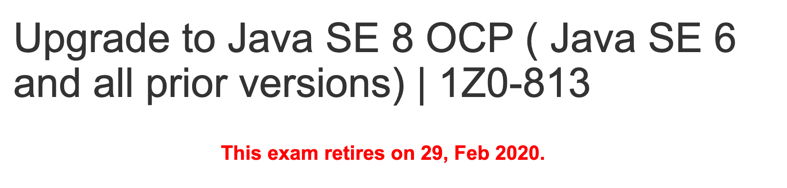
Two exams recently had retirements announced with only three months of lead time. They are both the Java 8 upgrade exams. (The main Java 8 exams remain live.)

This caught me by surprise. Oracle has historically kept exams live longer and given more lead time for retirement. After all, it’s not uncommon to take more than 3 months to study for an exam.

Which exams are being retired?

  • !Z0-810 – Upgrade Java SE 7 to Java SE 8 OCP Programmer
  • 1Z0-813 – Upgrade to Java SE 8 OCP ( Java SE 6 and all prior versions)

What are my options if I hold an older cert and was thinking about upgrading it?

If you hold an OCP 7

  • If you feel comfortable, take the 1Z0-810 before it is no longer being offered. Keep in mind that Oracle’s retake policy is that you can’t take the exam for 14 days if you fail. If you worried about failing and want to be able to retake the exam, I recommend targeting early February.
  • If this isn’t enough time, you will need to take the Java 11 exams. If you passed the OCA 7 and OCP 7 exams, you get to choose between the 1Z0-816 (part 2) and 1Z0-817 (upgrade). The 1Z0-816 has any associate cert as a pre-req. The !Z0-817 has a professional cert as a pre-req. I wrote a blog post helping choose between the two exams. If you got the OCP 7 via an upgrade exam in the first place, you’ll have to take the 1Z0-817.

If you hold an OCP 6

  • If you feel comfortable, take the 1Z0-810 before it is no longer being offered. See the above advice.
  • If that isn’t enough time, you only have one choice – the 1Z0-817 upgrade exam.

If you hold an SCJP/OCP 5 (or lower)

  • If you feel comfortable, take the 1Z0-810 before it is no longer being offered. See the above advice.
  • If that isn’t enough time, you will not be able to take an upgrade exam. You will instead need to take both the 1Z0-815 (part 1) and 1Z0-816 (part 2).
Java OCP 11 Programmer I Study Guide

Update (11/05/2020): Read The 1Z0-819 Exam page to learn how you can easily our Java 11 Study Guides to prepare for Oracle’s 1Z0-819 Exam, as well as the 1Z0-817 Upgrade Exam.

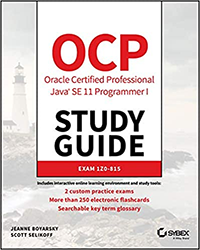
Scott and I are proud to announce that our first Java 11 book, OCP Oracle Certified Professional Java SE 11 Programmer I Study Guide:: Exam 1Z0-815, published by Wiley Publishing is at the printer.

Amazon is releasing the book on November 26th so now is a great time to order it.

Have a question for Scott or I? We will be doing a book promotion in the Programmer Certification forum at CodeRanch next week. Come say hi or ask a question and you might even win a free copy.

resizing columns in wordpress

Our OCP 11 (IZ0-815) book is at the printer. It comes out this month! In fact we are doing a CodeRanch promo for it next week. The book comes with an online test bank. The online bank includes two full length mock exams and every question in the book.

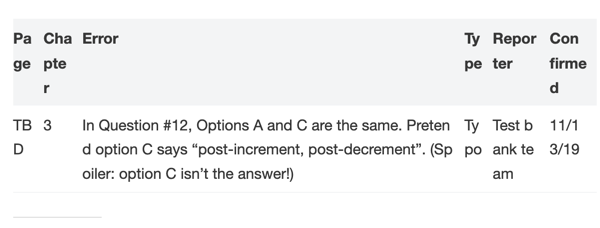
While uploading our questions to the test bank software, one of the test bank staff noticed an error. Two of our answer choices were the same. Luckily this wasn’t the correct answer, so a pretty minor errata. But it is our first errata so time to start the errata list.

For our Java 8 books, we used an HTML table for the errata list because our WordPress instance didn’t have table support. Editing the HTML was a pain so I was happy to see that now there are native WordPress tables. So I tried it out. Easy to enter data, add/remove rows/columns. Excellent. It’s all you could want in a table editor. Well. Almost.

Attempt #1

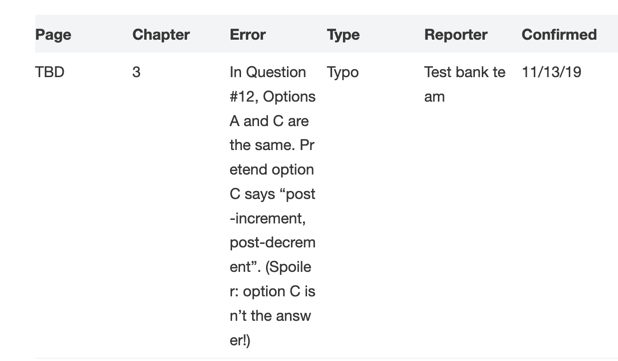
I chose the striped option. And this is what I got my default. I agree that the error column is the most important. And it’s nice that it is wide. But the other columns are so narrow to be unreadable.

Attempt #2

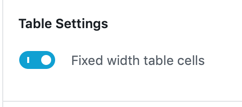
I looked at what my options were on the table. There was only one option that looked relevant. So I clicked it

Yuck; that’s even worse. The error column is the most important and it is so narrow it is hard to read. And there is lots of wasted whitespace.

Attempt #3

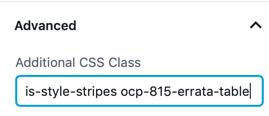
I got rid of the Type column to get a bit more real estate. Then I discovered there was a CSS option. I made up a unique CSS class name. Given that 815 is in the exam name, that sounds unique on our site.

I also went to the Additional CSS screen:

  • Settings
  • Appearance
  • Customize
  • Additional CSS

I added this CSS:

/* By default, wordpress only allows default or equals column size. Both look bad on the errata table so using CSS to customize */

/* page # */
.ocp-815-errata-table td:nth-child(1) {
  width: 10%;
  }

/* chapter #*/
.ocp-815-errata-table td:nth-child(2) {
  width: 10%;
}

/* actual errata */
.ocp-815-errata-table td:nth-child(3) {
  width: 50%;
 }

/* reporter */
.ocp-815-errata-table td:nth-child(4) {
  width: 15%;
 }

/* confirmed */
.ocp-815-errata-table td:nth-child(5) {
  width: 15%;
 }

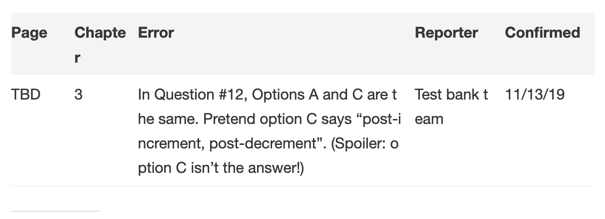
Finally I published and got: