 |
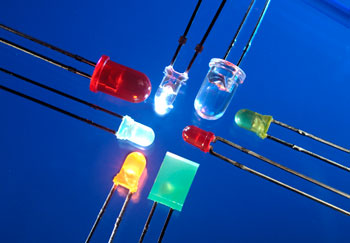
Unless you’ve been living in a cave, you may have noticed that LED light sources are now appearing in a number of devices, from pocket flashlights to laptops to televisions, primarily because they are cheaper to produce and tend to use less energy in devices than their non-LED counter-parts. In this article, I examine 3 new LED replacement technologies and evaluate whether or not the technology is mature enough to start replacing your non-LED devices. |
I. LED Printers
In the home printing market, first there were dot matrix printers, followed by inkjet and laser printers, and now color LED printers. LED Printers use an array of LEDs as opposed to a laser to produce images from toner. They have fewer moving parts than most laser printers, making them more reliable, cheaper to produce, and possibly faster than conventional laser printers. They are even deemed safer to use due to the potential health concerns of laser printers. The only problem is print quality, which is currently limited to 600 DPI, whereas most laser printers can print 1200 DPI. This means images produced with LED printers may not be as sharp or high quality as those produced with laser printers.
The verdict: Once LED printers close the DPI gap, they will be positioned to replace laser in both home and business environments. Costs are still high for LED printers, but that’s expected to fall over time.
II. LED Televisions
Most people aren’t aware that there are light bulbs of any kind inside LCD TVs, referred to as backlight devices, which allow TVs to be viewed in pitch black rooms. Therefore, many novice shoppers often confuse the technology, comparing LED versus LCD televisions, despite the fact that both are actually LCD devices. The difference, then, is that LED TVs are LCD devices with LED’s for the backlighting, whereas what is commonly referred to as an LCD television is the same device but with a fluorescent light bulb providing the backlighting. The most obvious advantage is the depth or thickness of the TV, which can go from 4-5 inches to a remarkably thin 1 inch since LED bulbs are significantly thinner than fluorescent bulbs. The cost should be cheaper, although LED televisions are so new that they are often priced higher than their LCD counter parts. Finally, the power consumption and overall lifespan of the TV are improved, in part because there’s no fluorescent bulb to change. I’ve read dozens of television reviews that claim LED televisions have superior picture quality due to the fact that they have more even lighting, but after viewing them in person, I find the picture quality improvements are vastly theoretical. The biggest disadvantage of LED picture quality is the reduced viewing angle. If you’re looking at the TV from any angle other than directly in front of it, such as from the side or slightly above/below, the picture becomes extremely dark.
The verdict: Due to the reduced picture quality and the fact that LED televisions currently cost more than LCD, now is not the time to switch to LED. The thickness of the TV provides a bit of bragging rights, I’ll admit, but for now I’ll stick with improved picture quality and lower cost.
III. LED Light Bulbs
The most common light bulb we have all seen is the incandescent light bulb, which are now being replaced with compact fluorescent lamps that use far less power. While these two types of light bulbs each have their advantages and disadvantages, I’m reluctant to call one better than the other. A third type entering the market is LED light bulbs, which uses a cluster of small LEDs inside a shell to simulate a standard light bulb. The biggest advantage of these bulbs is significantly less power usage; since they don’t generate much heat, even more energy than is saved than with CFLs. The biggest disadvantages are the cost per bulb and weak ambient quality. Because LEDs create directed light, such as in a flash light, they perform poorly when use as an ambient light source such as a lamp or overhead room light.
The verdict: There is still a long way to go on LED light bulbs, both in terms of quality and price, which is right now quite expensive per bulb. While we’re still a long way off from replacing all the lights in our house with LED bulbs, the potential cost saving is astronomical. Granted, there are some previously unknown side effects of replacing lights with LED, such as this Wisconsin town found out, causing increased costs for snow cleaning crews.
Conclusion
The advantages of LED devices are pretty consistent: they use less power, are cheaper to produce, and often allow for smaller, lighter, and more compact form factors. One disadvantage is also pretty consistent, though: they tend to sacrifice quality. I suggest holding off jumping on the LED band-wagon until the technology has matured. There’s no doubt the prices of these devices and quality will improve, as manufacturers see lower costs equaling greater profits, but the technology just isn’t there for widespread adaptation. If you value quality over energy savings, you would do well to wait for the technology to catch up.