ant vs java – using ** to match directories

Suppose I have the following files:
/MyFiles/dir/a.txt
/MyFiles/dir/child/b.txt

In Ant, this is how you write code to output all text files in any subdirectory of a “dir” directory.

<fileset id="jb" dir="/MyFiles">
  <include name="**/dir/**/*.txt" />
</fileset>

<pathconvert pathsep="${line.separator}" property="out" refid="jb"/>
<echo>${out}</echo>

In Java, the equivalent is

public class MyPathMatcher extends SimpleFileVisitor<Path> {
  private PathMatcher matcher =
     FileSystems.getDefault().getPathMatcher( "glob:**/dir/**.txt");

 @Override
 public FileVisitResult visitFile(Path file, BasicFileAttributes attrs) throws IOException {
   if (matcher.matches(file)) {
     System.out.println("File " + file);
   }
   return FileVisitResult.CONTINUE;
 }

  public static void main(String[] args) throws Exception {
    MyPathMatcher dirs = new MyPathMatcher();
    Files.walkFileTree(Paths.get("/MyFiles"), dirs);
   }
}

The Java documentation says “Two asterisks, **, works like * but crosses directory boundaries. This syntax is generally used for matching complete paths”. Whereas in the Ant documentation, “When ** is used as the name of a directory in the pattern, it matches zero or more directories.”

The Ant approach probably feels more natural to me because I’ve been using it longer. But the Java approach seems more logical because it doesn’t have the extra slash that doesn’t actually get matched.

why test driven development is “harder”

While I still don’t always do test driven development when coding at work, I do a lot of it.

I don’t always do TDD

  1. If I know the exact shape of the code before I start, it’s easier to create that shape before writing tests.  This happens a lot in web app development or when using generated code or certain framework.  I still write the tests with the code though. I think this happens because the interface I’m constrained by isn’t where I start thinking about the problem. When working on libraries or within a method/framework I do still TDD.
  2. For spikes.  If I have no idea how to approach something and just need to experiment.  I don’t know what tests to write because I don’t know what to do.

Ok, let’s suppose you’re working on an algorithm

This is something I find to be a great starting point for TDD.  It’s fairly obvious what the interface should be and most of the thought is on the implementation.  It is also a great example because you’ll want to try the same test cases repeatedly as you work making TDD save time.

Great, what makes TDD harder?

It’s not really.  The problem is when developers aren’t fluent in JUnit.  If the person coding isn’t good at writing tests, that becomes another thing to think about.  And when the mental load is higher, the task is harder.  The solution to this is to practice writing tests and get better at it.  Instead, some people merely complain that testing is hard and “expensive.”  Which becomes a sell fulfilling prophecy.

An example of how this affects me

I can think of three testing libraries that I’m at different levels of comfort with. And my reaction to writing a test in them. (just a regular test, forget about TDD here)

Library Comfort level Reaction
JUnit Fluent TDD, no problem.
HtmlUnit I have enough experience to know how to do common things and where I’m likely to hit a problem requiring more time. (I’m using it to test an app I didn’t write which makes things harder). While I’m comfortable writing tests, I’m limited for TDD.  I can definitely use TDD when fixing a bug.  But I couldn’t write a new screen that way.  I need the app to work enough to make sure my HtmlUnit test is right.
Selenium I know enough to know it changed a lot since I last used it. While my comfort level is a lot lower than HtmlUnit, I have the same feeling about TDD.  I could use it to fix a minor bug presuming there is enough app for me to test my Selenium code.  (And yes, Selenium as an HtmlUnit driver now which probably accounts for the similarity in reaction)

While I do have different feelings about TDD based on comfort level, one of the biggest differences is time.  It would take me a lot longer to write a Selenium test than a JUnit test.  That’s a sign that I need to practice/learn more/gain more experience.  Which is a perfectly normal part of coding.  We do need to plan for this.  Telling your developers to test with a tool they aren’t fluent in and not recognize it takes longer is a perfect way to invite no tests, poor tests or the quality of the code slipping.

Why was I thinking about this?

I’m working with someone on what I thought was an outline.  He suggested “I think a good way for us to communicate about these topics might be to first imagine …  questions we’ll want to ask”.  Kind of like TDD for an outline.  Think of what the student needs to know and get the “curriculum” from that.  I’ve never done that before and it was a lot harder than just writing an outline.  And I think the reasons it is “harder” are the same as for people new to TDD:

  1. A new way of thinking – I’ve never written questions before the objectives before.  People new to TDD aren’t used to thinking about how to test before they write the “real” code.
  2. Lack of experience with the “tool” – While I’ve written a fair number of questions, I’m by no means at the point that I feel fluent in doing so.  I’m probably just under where I feel with HtmlUnit in terms of experience there.  I know where many obstacles are but am still surprised often.
  3. More balls in the air – Just like thinking about both the tests and code in TDD, I had to think about both the questions and topics.

What is the takeaway

“Harder” doesn’t always mean harder.  Sometimes it means you need more skills and practice.  So if TDD seems “harder” to you, don’t run screaming.  You’ll get there.

jeanne on software – thoughts on Joel Spolsky’s “Smart and Gets Things Done”

A co-worker gave me a copy of “Smart and Gets Things Done” by Joel Spolsky.  It came out in 2007 so his thoughts might have changed since then.  Or not.  I have read Joel on Software so much of this isn’t new to me.  But I have more experience than I did in 2007 so it was interesting to see how I react to it now.

Banks

Over time, I’ve seen a number of references from Joel referencing banks or accounting systems as “boring” work. (I work for a bank.)  I almost would have been disappointed if that wasn’t in the book.  It was.  On page 16 – the very end of chapter 1 – Joel writes “That’s why the most satisfying careers, if you are a software developer, are at actual software companies, not doing IT for some bank.”

Maybe, maybe not.  I’ve worked on challenging projects at “some bank.”  I do think that it is important that the company values IT and has a development or IT group.  If it is literally “here’s what the trader wants now go and please him” I can see where Joel is coming from.

And I do agree that banks aren’t typically the early adopters of innovation.  I don’t want Chase experimenting with some new funky way of managing transaction integrity.  Their appetite for risk should be lower in that arena.  However, performance counts when doing a trade.  Amazon has to worry about scale with acceptable performance, but they don’t have to worry about the difference between a quarter of a second and a half a second on individual transactions.  Incidentally, Amazon is a “name” employer to work for and doesn’t produce software as it’s primary business of sales either.  (Although with Amazon Web Services and the like, you could argue it is a software house as one of it’s primary business.)

Paid interns

I’m glad to see that Joel pays his interns.  Interns don’t produce at the same level as experienced employees, but they do create value.  I remember being asked one summer if it was worth having an intern on our team.  The answer was yes.  It took about a month to get the intern independent enough to hit the break even point.  Leaving two months of progress.  There was some progress in the first month of course, but we were still within the “faster to do it myself than train” area then. I also like that Joel views interns as a recruiting channel.

I remember in college having an unpaid offer for an internship (with a small healthcare company) and a paid offer for an internship (with a large bank).  I chose the later.  While I didn’t end up working for that particular bank when I graduated (although I could have), it certainly got my foot in the door in that industry.  I also learned more because the larger company was set up to actually have their interns learn while producing rather than look at them as cheap labor for tasks they already know how to do.

Employee referrals

Joel feels that employee referrals are a very weak source of hires.  He says he will skip the phone screen, but that’s it.  I strongly agree that you should still interview referrals to make sure they are skilled, have good communication skills, fit, etc.

However, I disagree that employee referrals are a weak source of hires.  Personally, I’ve made two referrals in my career.  Or one depending on whether you count recommending someone for another team within the company.  Both are individuals I think are very good.  I wouldn’t recommend them otherwise.  It affects my reputation if I recommend someone bad.  And for the external one, we didn’t skip the interview.

There are different types of employee referrals though.  Both of mine were “I worked with this person and think she would be good on team X because.”  I wasn’t disappointed in either case.  By contrast a teammate recommended a friend that he never worked with.  I did the interview and declined to hire that individual.  However, this referral wasn’t “this person is awesome”.  It was “this person is easy to get along with and is a programmer”.    Yes, that’s a weak recommendation.  But no weaker than other sources.  It doesn’t make referrals  weak across the board.  And it shows the reputation thing I was talking about.  He gave an honest evaluation of the weakness in the referral.

Private offices vs team rooms

Joel is big on team rooms.  I have mixed feelings about this.  I don’t need quiet to work.  I do need to be left alone at times.  I like hearing coworkers conversations as you sometimes hear something important.  I like working collaboratively.  I don’t like bothering people with my conversations who prefer quiet.

To date, my favorite environment has been cubicles where teams were located in neighboring cubicles.  Or two to a well designed cube.  At both my summer internships and when my team had interns, I shared a cube.  But it was designed well.  The computer was in a corner with a desk on both sides.  (I needed to add a cardboard box to make that happen in one of these scenarios, but it still happened.)

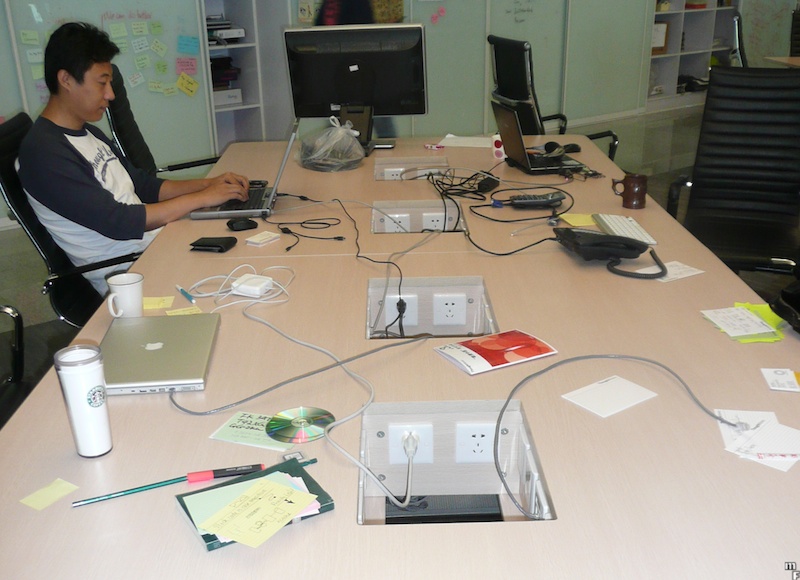
I’ve never seen a proper team room in person though.  I’ve seen the “everyone bring their laptop to a table and hunch over.”  That’s horribly unproductive to me.  Having a keyboard/mouse/monitor at proper height and a second monitor makes me much more productive.  Yesterday, I made a comment to a teammate about not being able to imagine working in a team room full time because of this lack of setup problem.  He said that’s not what a real team room is.  And he’s right.  I googled team room and found this and this.  Unfortunately, I also found this. I started a thread at CodeRanch to discuss the topic of team rooms.

Passion at Interviews

Joel writes about how being passionate about a topic gets rid of nervousness at an interview.  I remember at one of the interviews for my current job, I argued that pair programming works well when two people have approximately the same skill/knowledge level, but not when one person is a lot more experienced.  (I no longer hold that believe for anyone curious.)  I completely forgot I was at an interview during this conversation.  So yes, being passionate about a topic gets rid of nervousness.