Finally, a technical post. I’m on the NYC FRC (FIRST Robotics Challenge) planning committee. Even though the competition was cancelled, the Instagram photo contest was not. The idea was that students post pictures to a specific hashtag and the ones with a lot of likes win.
On a planning call this week, someone noted that it was no longer easy to see the number of likes making it a pain to find the ones with the most likes. That sounded like something a computer would be good at so I volunteered to take care of it.
There were only 86 submissions so mousing over each by hand and keeping a list wouldn’t have been terrible. And I probably could have gotten it done faster that way than by automating it. But where’s the fun in that.
Attempt #1 (failed) – API
There is a documented API to get posts by hashtag. It requires you to have a business or creator account to use. I have neither. This page says anyone can get a creator page. I don’t see that option. Possibly because my account is new or private. And I don’t want to make it public so not going down this road.
Attempt #2 (failed) – screenscraping
I know the URL of the hashtag. And it is available without a login. Great. I can just use Selenium to scrape the data. Well, I couldn’t get this working. The page uses progressive rendering. I did try using code from StackOverflow to page down. I used the ChromeDriver so I could confirm it really was scrolling. It did. But I still didn’t get all the images available to the Selenium driver. So I had to abandon that approach.
private void scrollToBottomOfPage() {

  JavascriptExecutor js = (JavascriptExecutor) driver;
  try {
     long lastHeight = ((Number) js.executeScript("return document.body.scrollHeight")).longValue();
     while (true) {
        ((JavascriptExecutor) driver).executeScript("window.scrollTo(0, document.body.scrollHeight);");
        Thread.sleep(2000);
        long newHeight = ((Number) js.executeScript("return document.body.scrollHeight")).longValue();
        if (newHeight == lastHeight) {
           break;
        }
	lastHeight = newHeight;
     }
   } catch (InterruptedException e) {
      e.printStackTrace();
   }
}
Attempt #3 (failed) – logging in
When watching it in ChromeDriver, I noticed that there was a prompt about logging in. So I thought maybe that was the problem. I wrote some sloppy Selenium code to login and saw the same behavior. It did login, but I still only got a subset of images. (I would have refactored the timeout, hard coded credentials and loop if it had helped)
driver.get("https://www.instagram.com/");
System.out.println(driver.getPageSource());

List<WebElement> x = driver.findElements(By.tagName("input"));
System.out.println(x);

// TODO change timeout to a wait until
try {
   Thread.sleep(5000);
} catch (InterruptedException e) {
   // TODO Auto-generated catch block
   e.printStackTrace();
}

WebElement username = driver.findElement(By.name("username"));
WebElement password = driver.findElement(By.name("password"));

// TODO don't hard code
username.sendKeys("xxx");
password.sendKeys("xxx");

// TODO rewrite
List<WebElement> l = driver.findElements(By.tagName("button"));
System.out.println(l);
for (WebElement webElement : l) {
   System.out.println(webElement.getAttribute("type"));
   if (webElement.getAttribute("type").equals("submit")) {
     webElement.click();
   }
}
Attempt #4 (failed) – save file
At this point, I decided to stop messing with Selenium and just download the data myself. I opened the web page and scrolled to the bottom to get all the images. I then saved the page in chrome to get all the files. And… still didn’t have everything. This suggests the page is set up to not store everything and no amount of fiddling with Selenium was going to work.
Attempt #5 (failed) – network traffic
The files are all downloaded in my browser at some point. So I used Chrome’s network traffic monitor (in developer tools). Unfortunately, you can’t get the actual Instagram URL from the image link used for the CDN (content delivery network)
Attempt #6 (success kinda) – JSON
The “kinda” is because I don’t have paging working and the__a API is deprecated
Then I found this post which tells me I can use https://www.instagram.com/explore/tags/frcnyc2020/?__a=1 to get the results as JSON. Whoo hoo! This returns the data. Then it was just a matter of parsing it and creating the report.
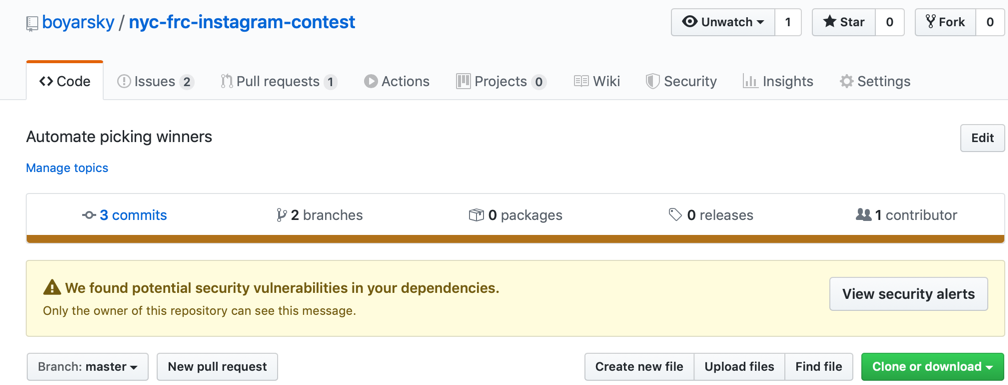
That worked. The completed code is below and on GitHub
package com.jeanneboyarsky.instagram;

import java.util.*;
import java.util.Map.*;
import java.util.stream.*;

import org.junit.jupiter.api.*;
import org.openqa.selenium.*;
import org.openqa.selenium.htmlunit.*;

import com.fasterxml.jackson.databind.*;

public class CountLikesIT {

  private static final String TAG = "frcnyc2020";

  private WebDriver driver;

  @BeforeEach
  void setup() {
    driver = new HtmlUnitDriver();
  }

  @AfterEach
  void tearDown() {
    if (driver != null) {
      driver.close();
    }
  }

  @Test
  void graphQlJson() throws Exception {
    // https://stackoverflow.com/questions/43655098/how-to-get-all-instagram-posts-by-hashtag-with-the-api-not-only-the-posts-of-my
    // "count" shows up 258 times (this is three times per image)
    // 1) edge_media_to_comment
    // 2) edge_liked_by
    // 3) edge_media_preview_like - looks same as #2
    String json = getJson();

    ObjectMapper objectMapper = new ObjectMapper();
    JsonNode rootNode = objectMapper.readTree(json);
    List<JsonNode> nodes = rootNode.findValues("node");

    Map<String, Integer> result = nodes.stream()
   // node occurs at multiple levels; we only want the ones that go with posts
   .filter(this::isPost)
   .collect(Collectors.toMap(this::getUrl, this::getNumLikes,
  // ignore duplicates by choosing either
    (k, v) -> v));

   printDescendingByLikes(result);
  }

  private String getUrl(JsonNode node) {
    JsonNode shortCodeNode = node.findValue("shortcode");
    return "https://instagram.com/p/" + shortCodeNode.asText();
  }

  private int getNumLikes(JsonNode node) {
    JsonNode likeNode = node.get("edge_liked_by");
    return likeNode.get("count").asInt();
  }

  private boolean isPost(JsonNode node) {
    return node.findValue("display_url") != null;
  }

  private String getJson() {
    driver.get("https://www.instagram.com/explore/tags/" + TAG + "/?__a=1");
    String pageSource = driver.getPageSource();
    return removeHtmlTagsSinceReturnedAsWebPage(pageSource);
}

  private String removeHtmlTagsSinceReturnedAsWebPage(String pageSource) {
    String openTag = "<";
    String closeTag = ">";
    String anyCharactersInTag = "[^>]*";

    String regex = openTag + anyCharactersInTag + closeTag;
    return pageSource.replaceAll(regex, "");
  }

  private void printDescendingByLikes(Map<String, Integer> result) {
    Comparator<Entry<String, Integer>> comparator =
       Comparator.comparing((Entry<String, Integer> e) -> e.getValue())
      .reversed();

    result.entrySet().stream()
       .sorted(comparator)
       .map(e -> e.getValue() + "\t" + e.getKey())
       .forEach(System.out::println);
    }
}