A co-worker gave me a copy of “Smart and Gets Things Done” by Joel Spolsky. It came out in 2007 so his thoughts might have changed since then. Or not. I have read Joel on Software so much of this isn’t new to me. But I have more experience than I did in 2007 so it was interesting to see how I react to it now.

Banks
Over time, I’ve seen a number of references from Joel referencing banks or accounting systems as “boring” work. (I work for a bank.) I almost would have been disappointed if that wasn’t in the book. It was. On page 16 – the very end of chapter 1 – Joel writes “That’s why the most satisfying careers, if you are a software developer, are at actual software companies, not doing IT for some bank.”
Maybe, maybe not. I’ve worked on challenging projects at “some bank.” I do think that it is important that the company values IT and has a development or IT group. If it is literally “here’s what the trader wants now go and please him” I can see where Joel is coming from.
And I do agree that banks aren’t typically the early adopters of innovation. I don’t want Chase experimenting with some new funky way of managing transaction integrity. Their appetite for risk should be lower in that arena. However, performance counts when doing a trade. Amazon has to worry about scale with acceptable performance, but they don’t have to worry about the difference between a quarter of a second and a half a second on individual transactions. Incidentally, Amazon is a “name” employer to work for and doesn’t produce software as it’s primary business of sales either. (Although with Amazon Web Services and the like, you could argue it is a software house as one of it’s primary business.)
Paid interns
I’m glad to see that Joel pays his interns. Interns don’t produce at the same level as experienced employees, but they do create value. I remember being asked one summer if it was worth having an intern on our team. The answer was yes. It took about a month to get the intern independent enough to hit the break even point. Leaving two months of progress. There was some progress in the first month of course, but we were still within the “faster to do it myself than train” area then. I also like that Joel views interns as a recruiting channel.
I remember in college having an unpaid offer for an internship (with a small healthcare company) and a paid offer for an internship (with a large bank). I chose the later. While I didn’t end up working for that particular bank when I graduated (although I could have), it certainly got my foot in the door in that industry. I also learned more because the larger company was set up to actually have their interns learn while producing rather than look at them as cheap labor for tasks they already know how to do.
Employee referrals
Joel feels that employee referrals are a very weak source of hires. He says he will skip the phone screen, but that’s it. I strongly agree that you should still interview referrals to make sure they are skilled, have good communication skills, fit, etc.
However, I disagree that employee referrals are a weak source of hires. Personally, I’ve made two referrals in my career. Or one depending on whether you count recommending someone for another team within the company. Both are individuals I think are very good. I wouldn’t recommend them otherwise. It affects my reputation if I recommend someone bad. And for the external one, we didn’t skip the interview.
There are different types of employee referrals though. Both of mine were “I worked with this person and think she would be good on team X because.” I wasn’t disappointed in either case. By contrast a teammate recommended a friend that he never worked with. I did the interview and declined to hire that individual. However, this referral wasn’t “this person is awesome”. It was “this person is easy to get along with and is a programmer”. Yes, that’s a weak recommendation. But no weaker than other sources. It doesn’t make referrals weak across the board. And it shows the reputation thing I was talking about. He gave an honest evaluation of the weakness in the referral.
Private offices vs team rooms
Joel is big on team rooms. I have mixed feelings about this. I don’t need quiet to work. I do need to be left alone at times. I like hearing coworkers conversations as you sometimes hear something important. I like working collaboratively. I don’t like bothering people with my conversations who prefer quiet.
To date, my favorite environment has been cubicles where teams were located in neighboring cubicles. Or two to a well designed cube. At both my summer internships and when my team had interns, I shared a cube. But it was designed well. The computer was in a corner with a desk on both sides. (I needed to add a cardboard box to make that happen in one of these scenarios, but it still happened.)
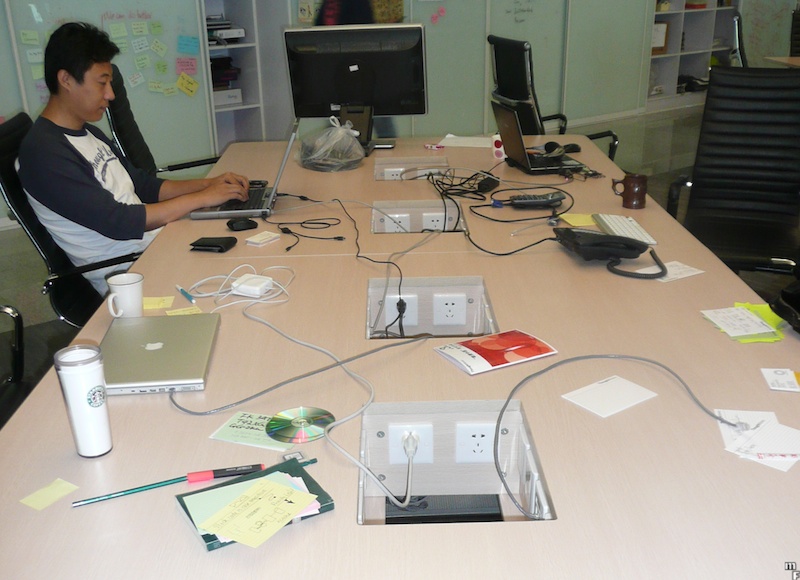
I’ve never seen a proper team room in person though. I’ve seen the “everyone bring their laptop to a table and hunch over.” That’s horribly unproductive to me. Having a keyboard/mouse/monitor at proper height and a second monitor makes me much more productive. Yesterday, I made a comment to a teammate about not being able to imagine working in a team room full time because of this lack of setup problem. He said that’s not what a real team room is. And he’s right. I googled team room and found this and this. Unfortunately, I also found this. I started a thread at CodeRanch to discuss the topic of team rooms.
Passion at Interviews
Joel writes about how being passionate about a topic gets rid of nervousness at an interview. I remember at one of the interviews for my current job, I argued that pair programming works well when two people have approximately the same skill/knowledge level, but not when one person is a lot more experienced. (I no longer hold that believe for anyone curious.) I completely forgot I was at an interview during this conversation. So yes, being passionate about a topic gets rid of nervousness.